









Mobile app
Apple iOS mobile application for sending large photos, videos, and documents
The TransferNow app for iOS is free and lets you send large photos, videos, and documents (up to 5 GB per transfer, with a free account) from your iPhone or iPad. Take TransferNow with you everywhere in your pocket or bag on your iPhone or iPad. Send photos, videos, or other files of any size for free with just a few taps on your phone.
- Free
- iPhone & iPad
- Just a few taps

Mobile app
Our iOS mobile app to send and share files
Discover TransferNow on iOS: your key to simple and secure file transfers. Our app is tailored for iOS, ensuring smooth and safe transfers of any type of file. Perfect for professionals, creative enthusiasts, or those who simply want to stay connected, TransferNow on iOS makes file sharing easy and secure.
Enter your email address to keep track of your shares, select your files, and confirm. Once the upload is complete, you get an easily shareable link to download the files.
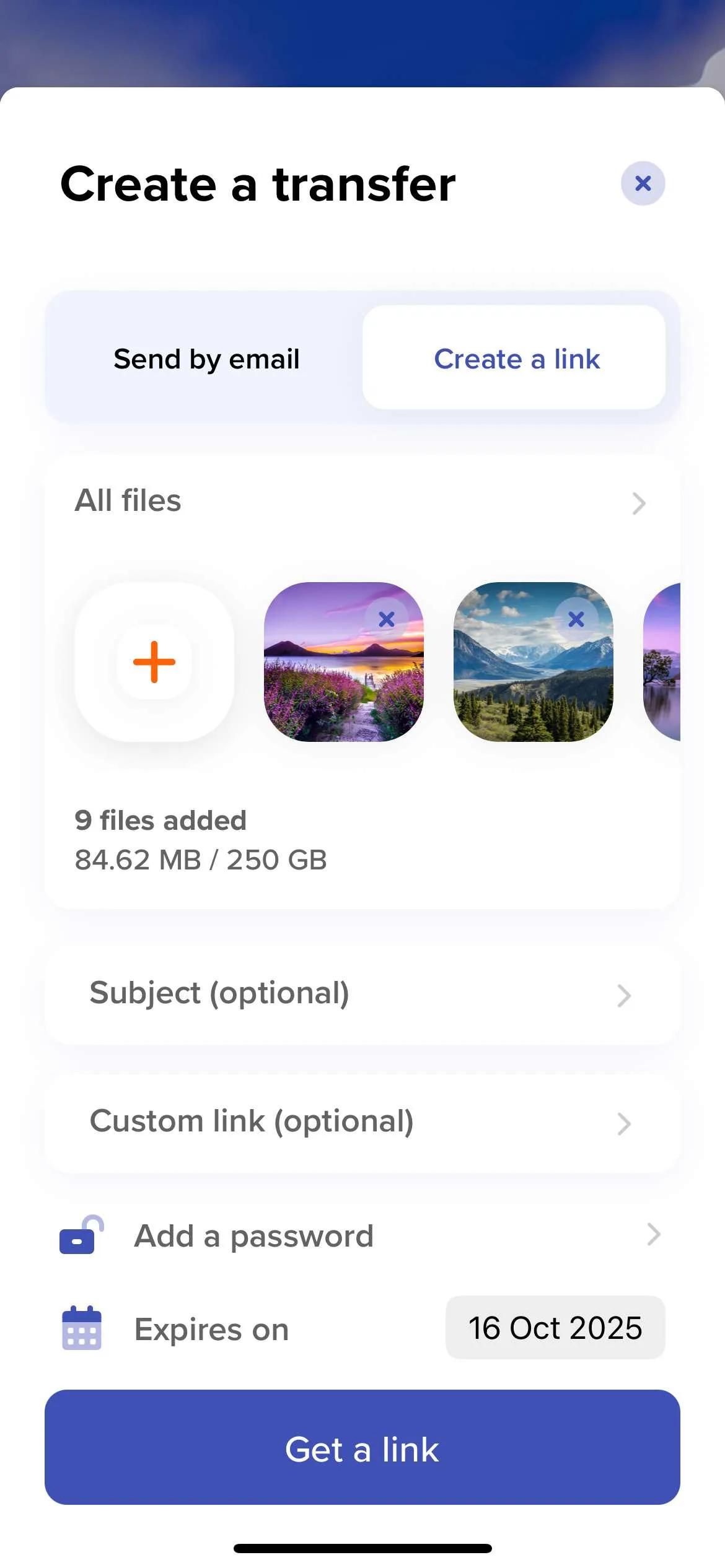
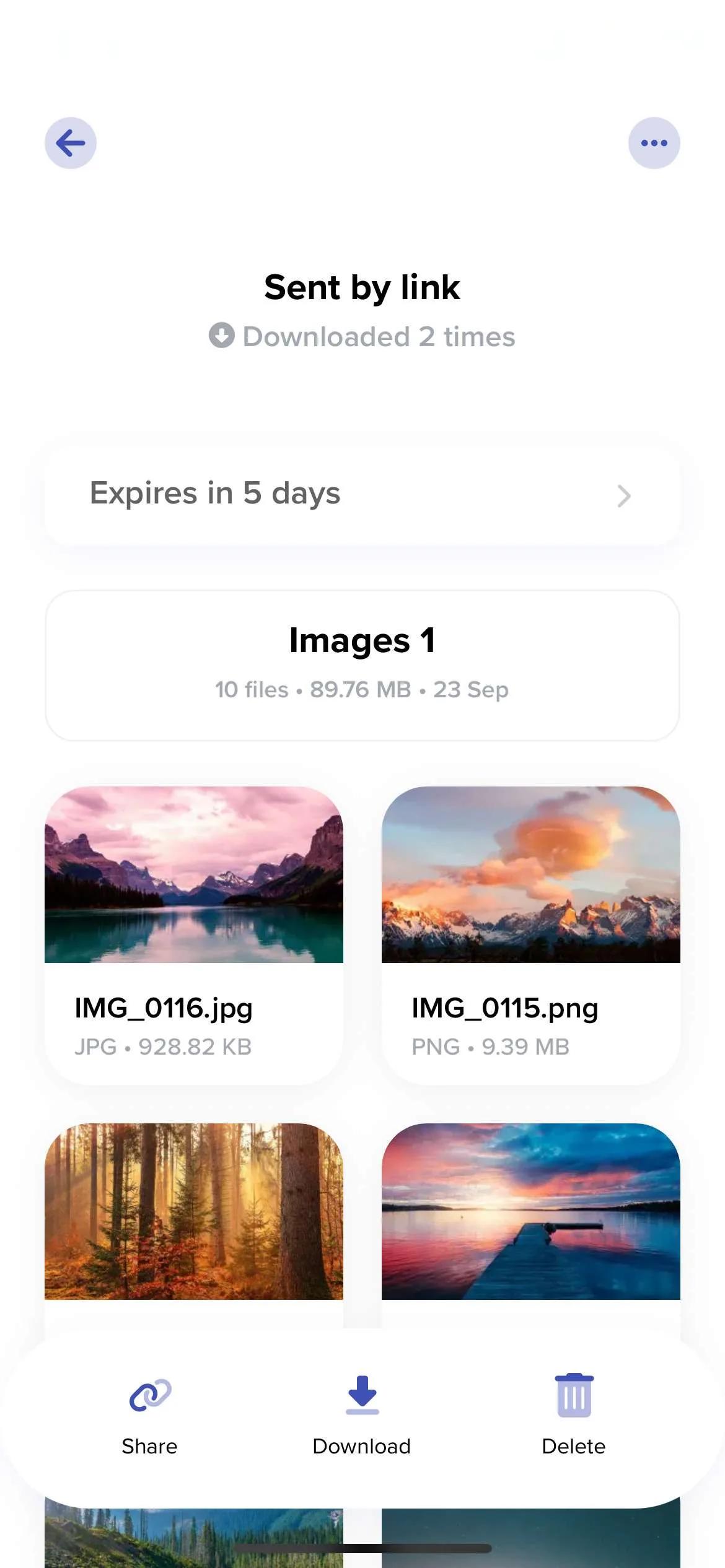
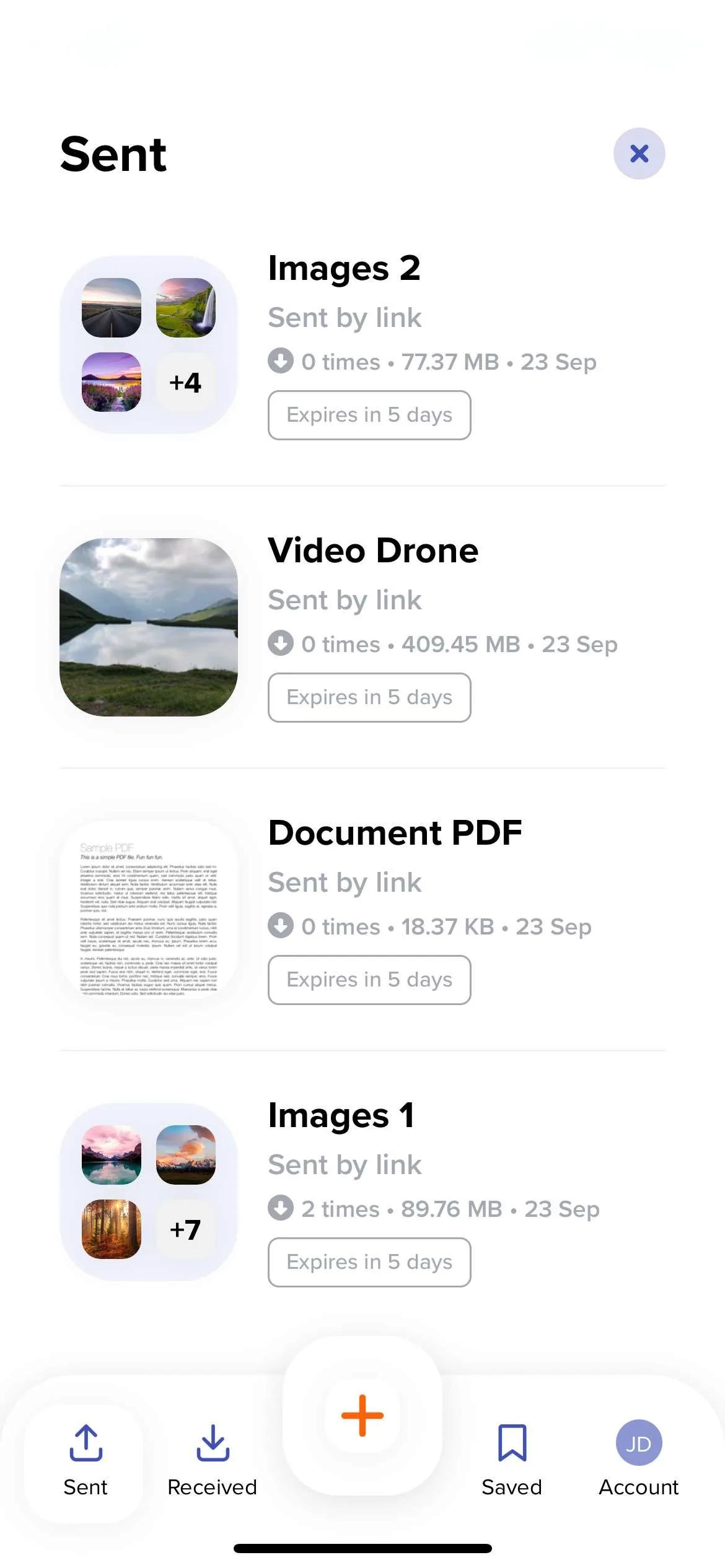
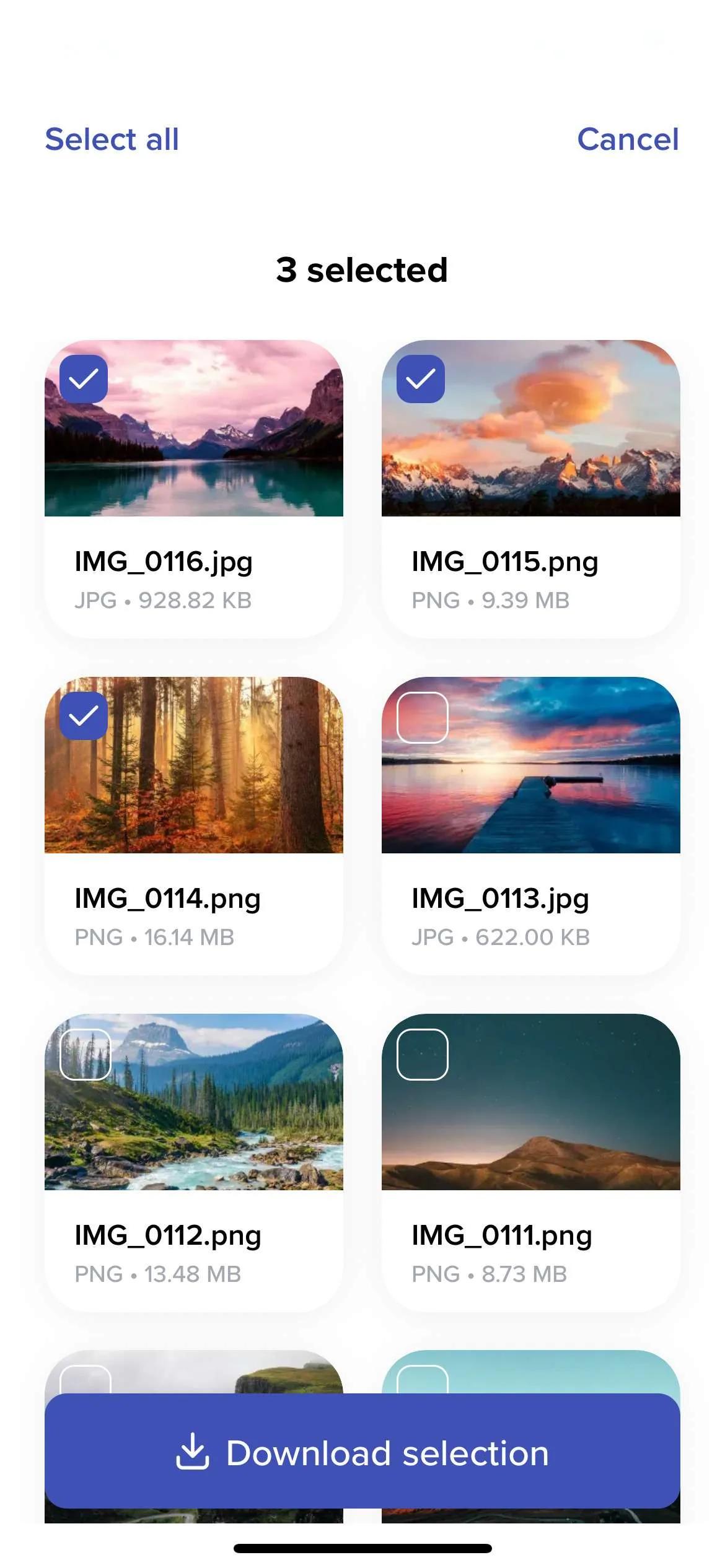
Why the app?
The app instead of Safari?
The app integrates with iOS: send from Photos or any app via the share sheet, follow your transfers with notifications, and find everything you’ve sent and received in a clear history — on iPhone and iPad alike.
Your HEIC photos, 4K videos, and large files are sent in their original quality, without the recompression applied by messaging apps.
Frequently asked questions
Is the iOS app free?
Yes, the app is free on the App Store, with up to 5 GB per transfer with a free account. Paid plans increase the limits.
Does it work on iPad?
Yes: the app is designed for iPhone and iPad — handy for sending files from a work tablet.
Can I send directly from the Photos app?
Yes: select your photos or videos, tap Share, then TransferNow — they are added to a new transfer, in their original quality.
Are 4K videos and HEIC photos sent as they are?
Yes, no compression or conversion: the recipient receives exactly the files from your camera roll.
Do I need an account to send files?
Yes, an account is required — creating one is free and quick. It gives you transfer tracking and a complete history; paid plans increase the limits.
Multi-platform
TransferNow on all your devices
Desktop software
Windows, macOS, and LinuxTransferNow for Windows
Use our large file transfer solution directly from your Windows computer.
Learn moreTransferNow for Mac
Use our large file transfer software directly from your macOS computer.
Learn moreTransferNow for Linux
Use our large file transfer tool directly from your Linux computer.
Learn moreMobile apps
Android and iOSExtensions & add-ins
Browsers and email clientsTransferNow for Chrome and Gmail
Send large files from your Chrome browser and your Gmail inbox with our official extension.
Learn moreTransferNow for Firefox
Transfer large files directly from your Mozilla Firefox browser with our dedicated extension.
Learn moreTransferNow for Outlook
Optimize large file transfers with the TransferNow add-in for Outlook. Easy to use, it enables rapid sending directly from Outlook.
Learn moreTransferNow for Thunderbird
Coming soonSend large attachments from Mozilla Thunderbird with our dedicated add-on for the email client.
Learn moreSend and receive your files, wherever you are