









Browser extension
TransferNow extension for your Chrome browser and Gmail – boost productivity
The TransferNow extension for Chrome and Gmail is free and lets you send large files (up to 5 GB per transfer, with an account) without leaving your browser or your inbox. Transfer large files directly from your browser and/or your Gmail inbox with our Chrome extension that integrates perfectly.
- Gmail integration
- Without leaving your browser
- Password & antivirus
Browser extension
Our Chrome extension to transfer files with Gmail
Discover the TransferNow extension for Chrome, your solution for sending large files directly from your browser. Designed to fit perfectly with Chrome and Gmail, this extension makes it easy to send large files without leaving your browsing environment or email. Ideal for everyone, from professionals to individuals looking to share data efficiently and securely. With TransferNow for Chrome, turn your browser into a powerful file transfer tool.
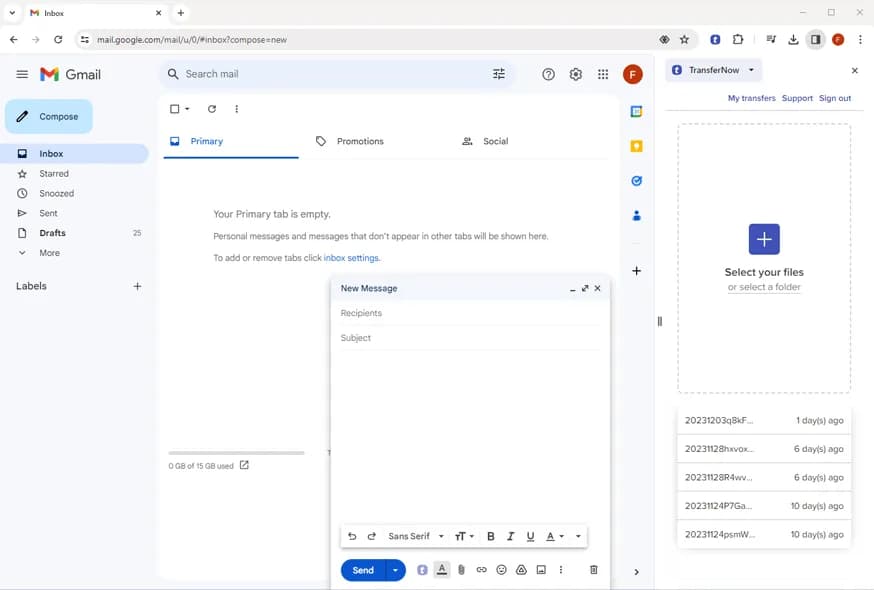
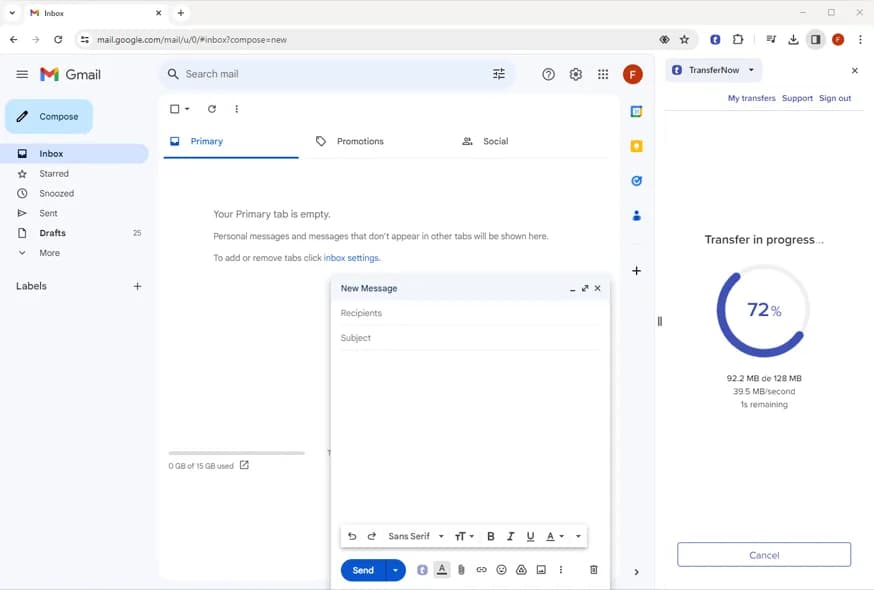
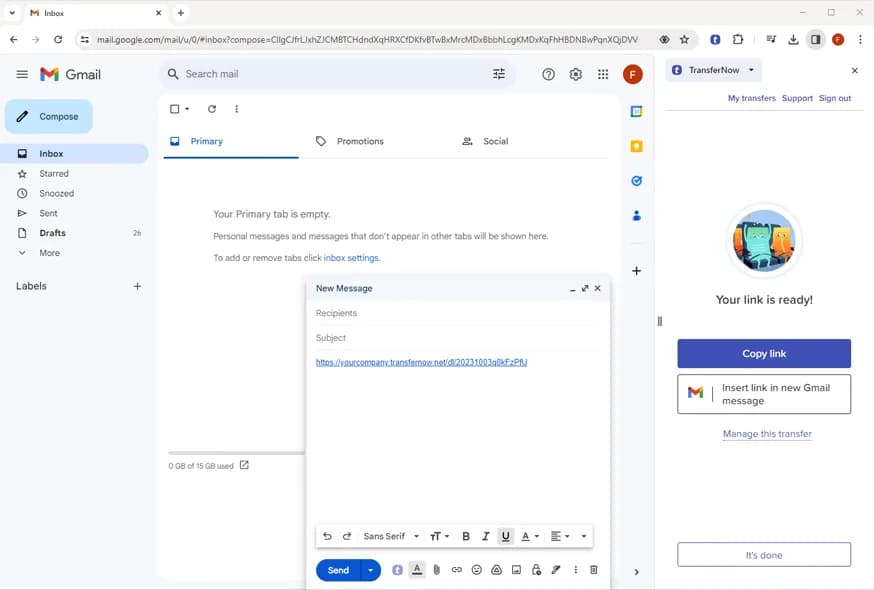
Select files, complete our form, and confirm. Once the upload is complete, you get a link that you can easily copy or insert into your email.
Why the app?
The extension instead of a new tab?
In Gmail, the extension keeps watch while you write: if you drag and drop files of more than 25 MB into the compose window, it offers to send them via TransferNow — the files are imported directly into the extension and a download link replaces the oversized attachment, without leaving your message.
It’s a suggestion, never an obligation: you stay in control. You can also start a transfer manually in one click from the Chrome toolbar, from any tab — with the same limits and options as the website (up to 5 GB, password, download tracking, and notifications).
Frequently asked questions
Is the Chrome extension free?
Yes, the extension is free on the Chrome Web Store, with up to 5 GB per transfer with an account.
Do I need to use Gmail for it to be useful?
No: the extension also works on its own, from the toolbar, to create a transfer from any tab. The Gmail integration adds the detection of oversized attachments while you write.
What happens if I attach a large file in Gmail?
If you drag and drop files of more than 25 MB into the Gmail compose window, the extension offers to send them via TransferNow: they are imported into the extension and a download link replaces the attachment. It’s a suggestion, never forced on you.
Do my recipients need to install the extension?
No: they receive a standard link and download the files from their browser, without any extension or account.
Are the files scanned before the link is sent?
Yes: an antivirus security scan runs before the download link becomes available.
Multi-platform
TransferNow on all your devices
Desktop software
Windows, macOS, and LinuxTransferNow for Windows
Use our large file transfer solution directly from your Windows computer.
Learn moreTransferNow for Mac
Use our large file transfer software directly from your macOS computer.
Learn moreTransferNow for Linux
Use our large file transfer tool directly from your Linux computer.
Learn moreMobile apps
Android and iOSTransferNow for Android
Take the TransferNow app for Android mobile devices with you wherever you go in your pocket to send photos and videos or any other large files.
Learn moreTransferNow for iOS
Take the TransferNow app for Apple smartphones with you everywhere in your pocket to share photos and videos or any other large documents.
Learn moreExtensions & add-ins
Browsers and email clientsTransferNow for Firefox
Transfer large files directly from your Mozilla Firefox browser with our dedicated extension.
Learn moreTransferNow for Outlook
Optimize large file transfers with the TransferNow add-in for Outlook. Easy to use, it enables rapid sending directly from Outlook.
Learn moreTransferNow for Thunderbird
Coming soonSend large attachments from Mozilla Thunderbird with our dedicated add-on for the email client.
Learn moreSend and receive your files, wherever you are