









Not sure whether to choose WeTransfer or TransferNow?
Two services for large file transfers, two different approaches. Compare the free services, security, features, and user plans to find the best alternative to WeTransfer.
Comparison updated on .
4.9 / 5 on Trustpilot and Google (20k+ reviews)

WeTransfer vs TransferNow: free plan comparison
If you need to send large files occasionally, services like WeTransfer free or TransferNow offer useful features accessible without registration. These two secure transfer services are the main available options for free online file sharing.
In July 2024, WeTransfer, originally a Dutch service, was acquired by Italian company Bending Spoons. Following this acquisition, its free plan was revised: it now allows sends of up to 3 GB per transfer (up from 2 GB), with a limit of 10 transfers or 3 GB total over 30 days.
Since 2013, TransferNow — a European file transfer service — has offered a free plan allowing file transfers up to 5 GB per transfer, with no volume or frequency limits.
With TransferNow, files are stored in France or closest to you based on your location. WeTransfer, for its part, stores files on servers located in Europe or the United States.
The password protection feature is available on both services:
- On TransferNow, password protection is free and available without creating an account.
- On WeTransfer, it is also available, but requires creating a free user account to be used.
TransferNow also allows file previews (images, videos, PDF documents), custom download links, and email notifications as soon as a file is downloaded, even without an account.
In conclusion, both services offer a free plan with their own specifics. WeTransfer free is based on a monthly quota (transfers or volume), while TransferNow focuses on ease of access (no account) and the maximum size per send (5 GB). For unrestricted usage, TransferNow is a particularly suitable alternative to WeTransfer.
| Free plans | TransferNow | WeTransfer |
|---|---|---|
| Max size per transfer | 5 GB | 3 GB |
| File availability | 7 days | 3 days |
| Transfers per month | Unlimited | 10 |
| Gigabytes per month | Unlimited | 3 GB |
| Password protection | With TransferNow, password protection is free and available without an account.Yes — With TransferNow, password protection is free and available without an account. | On WeTransfer, password protection is now free but requires a user account.Yes — On WeTransfer, password protection is now free but requires a user account. |
| Customizable links | Yes | No |
| File previews | images, videos, audio, PDF documents | images, videos, audio, documents |
Sources:
https://techcrunch.com/2024/07/31/bending-spoons-acquires-file-transfer-service-wetransfer/
https://help.wetransfer.com/hc/en-us/articles/23265597795346
https://help.wetransfer.com/hc/en-us/articles/210092443
https://help.wetransfer.com/hc/en-us/articles/4416313646868
https://www.transfernow.net/en/discover/transfernow-free-forever
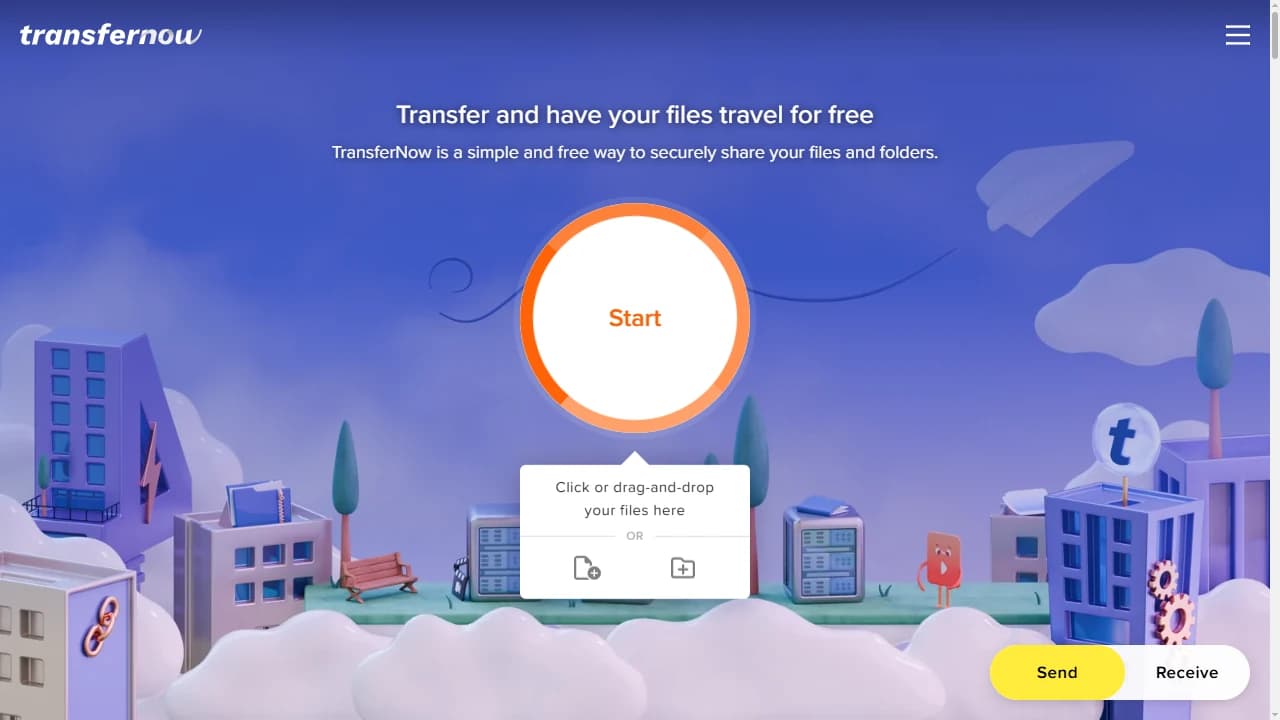
Compare the WeTransfer and TransferNow interfaces on first use
This visual comparison highlights the interfaces offered by WeTransfer and TransferNow during the first interaction with the service. It allows an examination of the general layout, the emphasis on available actions, and how each interface guides the user through the process of sending or receiving large files.
When a user discovers a file transfer service, the clarity of the interface and immediate access to features play a key role. The way options are presented from the start impacts the understanding of the service and the ease of onboarding.
This visual analysis allows for the comparison of:
- the interface structure displayed at first access to the service,
- the immediate visibility of actions related to sending and sharing files,
- ease of use without prior setup or account creation,
- the interface’s adaptation to different devices (computer, tablet, mobile).
The comparative visual highlights the interface choices made by WeTransfer and TransferNow at the time of first use.

WeTransfer vs TransferNow: comparison of paid plans and pricing
TransferNow and WeTransfer offer several paid plans designed for individuals, teams, and large companies seeking advanced features, extended transfer capacity, longer storage, customization options, multi-user management, and services like SSO, SCIM, or priority support.
Individual plans
- TransferNow Premium (1 user) offers decreasing rates based on commitment (monthly, annual, or 2-year).
- WeTransfer Ultimate (1 user, personal use only) is priced at about 19 € excl. tax per month; the Teams plan is billed at about 16 € excl. tax per user per month (minimum 2 users).
Team plans (small and medium businesses)
- TransferNow Team includes 10 user accounts for a flat rate (monthly, annual, or 2-year).
- WeTransfer Teams charges about 16 € excl. tax per account per month, up to 50 users.
For comparison, a 10-person team would cost about 160 € excl. tax per month with WeTransfer, versus 30 € excl. tax per month with TransferNow. Billed annually, that’s about 1,660 € excl. tax per year with WeTransfer, versus 288 € excl. tax with TransferNow.
Enterprise plans (SMEs, mid-market, large enterprises)
Both services now offer custom plans for enterprises. TransferNow has provided this type of plan for several years, while WeTransfer introduced an Enterprise offering more recently.
- TransferNow Enterprise enables advanced features such as:
- single sign-on (SSO) with Microsoft Entra ID, Google Workspace, and Okta,
- account management and provisioning (SCIM),
- user group creation and other custom options.
- WeTransfer Enterprise also offers a tailored plan including SSO.
In summary, both services meet similar needs through their Enterprise plans. However, they use different pricing models: TransferNow works on a team package, while WeTransfer charges each user separately, which can lead to higher costs depending on team size.
| Paid plans | TransferNow | WeTransfer |
|---|---|---|
| Premium plan – 1 month | 10 € /month | ~19 € /month |
| Premium plan – 1 year | 8 € /month | ~16 € /month |
| Premium plan – 2 years | 6 € /month | No |
| Team plan – 1 month10 user accounts included | 30 € /month/total | ~16 € /month/per person |
| Team plan – 1 year10 user accounts included | 24 € /month/total | ~14 € /month/per person |
| Team plan – 2 years10 user accounts included | 18 € /month/total | No |
| Enterprise plan | custom plan | custom plan |
Prices exclude tax. WeTransfer prices converted to before-tax amounts from the public French price list (incl. VAT), rounded.
Sources:
https://wetransfer.com/pricing
https://www.transfernow.net/en/prices
WeTransfer vs TransferNow: customization features
TransferNow and WeTransfer offer advanced customization options, available depending on the subscribed plan, to help users tailor their experience to their brand identity.
WeTransfer (starting with the Ultimate, Teams, and Enterprise plans)
- creation of a custom subdomain,
- adding a logo displayed on the transfer page and in emails,
- using background images or videos on transfer pages,
- applying a custom graphic theme to emails and the shared space.
These features are available from the Ultimate plan, and also on the Teams and Enterprise plans.
TransferNow (Premium, Team, and Enterprise)
- creation of a custom subdomain (e.g., your-name.transfernow.net),
- adding a logo, a background (image or video), and custom colors,
- advanced customization of the download page: text, visuals, links, promotional video,
- custom download links,
- setting up custom email notifications with download tracking.
Using a custom domain via a CNAME record (e.g., transfer.mycompany.com) is an option reserved for the TransferNow Enterprise plan.
| Overview of key features | TransferNow | WeTransfer |
|---|---|---|
| Custom subdomain | Yes | Yes |
| Add your logo, background, and colors | Yes | Yes |
| Download page customization | Yes | Yes |
| Download link customization | Yes | No |
| Corporate domainCNAME record | Yes | No |
Sources:
https://help.wetransfer.com/hc/en-us/sections/20641445413778
https://help.wetransfer.com/hc/en-us/articles/4406225699348
https://help.wetransfer.com/hc/en-us/articles/204576769
WeTransfer vs TransferNow: file reception
Both TransferNow and WeTransfer offer ways to receive files from your contacts, with some notable differences depending on the use case.
TransferNow – a free, intuitive “Receive” mode
TransferNow provides free file reception:
- The “Receive” mode, accessible from the homepage, lets you:
- Request files via email,
- Generate a secure drop link to share freely.
Everything is secure, configurable, and requires no account for people to drop files off to you.
- TransferNow also offers a customizable widget generating a line of HTML code to embed on your website or CMS to receive files directly via a form.
- Besides ephemeral file requests, a permanent, customizable link is also available — handy in email signatures, for example.
You receive an email notification as soon as files have been received and are available for download.
WeTransfer – “File request” feature requiring an account
WeTransfer now offers a feature called “File request”, accessible only to users with an account (free or paid).
It allows you to send a file request to a contact, via email or a secure link, and track received files from your personal interface.
Unlike TransferNow, account creation is mandatory to access this feature.
| Overview of key features | TransferNow | WeTransfer |
|---|---|---|
| Request files and send a secure drop link by email to receive files | With TransferNow, you can request files via email without needing to create a user account.Yes — With TransferNow, you can request files via email without needing to create a user account. | With WeTransfer, you can request files from your contacts, but you need a free or paid user account to do so.Yes — With WeTransfer, you can request files from your contacts, but you need a free or paid user account to do so. |
| Creation of secure, custom file drop links | With TransferNow, you can create a secure drop link to share with your contacts without needing an account.Yes — With TransferNow, you can create a secure drop link to share with your contacts without needing an account. | With WeTransfer, you can create a secure drop link to share with your contacts, but you need a free or paid user account to do so.Yes — With WeTransfer, you can create a secure drop link to share with your contacts, but you need a free or paid user account to do so. |
| Share link to receive files directly into your account | Yes | Yes |
| Widgets to receive files from your website | Yes | No |
Sources:
https://help.wetransfer.com/hc/en-us/articles/19674802507410
WeTransfer vs TransferNow: multi-user management
WeTransfer Teams and Enterprise (introduced in early 2025):
Since its pricing overhaul in late 2024 (launched early 2025), WeTransfer offers multi-user management through its Teams and Enterprise plans:
- centralized management of users, transfers, and access,
- workspace customization (name, logo, branding),
- per-user billing (monthly or annual).
- The WeTransfer Enterprise plan, available on request, adds:
- single sign-on (SSO),
- SCIM for user provisioning and synchronization,
- activity logging,
- advanced security options and priority support.
TransferNow Team (10 included accounts) and Enterprise:
- The TransferNow Team plan – with a flat-rate approach – includes 10 user accounts with:
- centralized user management,
- group creation by team or department,
- transfer tracking and activity logs via a dedicated dashboard.
- The TransferNow Enterprise plan adds:
- single sign-on (SSO) with Microsoft Entra ID, Google Workspace, and Okta,
- SCIM for automated provisioning,
- advanced permission management,
- the option to configure a custom domain via a CNAME record.
Both TransferNow and WeTransfer now provide solutions suited to team collaboration.
| Tools and managers | TransferNow | WeTransfer |
|---|---|---|
| User management | Yes | Yes |
| Single sign-on (SSO) | Yes | Yes |
| Provisioning, synchronization (SCIM) | Yes | Yes |
| User group management | Yes | No |
| Monitor and manage transfers made by your users | Yes | No |
| Manage file reception for your users | Yes | No |
Sources:
https://help.wetransfer.com/hc/en-us/articles/4406285366292
https://help.wetransfer.com/hc/en-us/articles/26997098610194
WeTransfer vs TransferNow: file security
WeTransfer – encryption and antivirus protection on paid plans
WeTransfer uses SSL/TLS encryption for transfers and AES-256 encryption for file storage. Files are hosted on servers located in Europe or the United States.
Available security features:
- a password protection feature available for free, provided you create a user account (free or paid),
- an antivirus scan applied only to paid account transfers and downloads,
- file storage on servers located in Europe or the United States, with no choice of location.
TransferNow – advanced encryption and antivirus from the free plan
TransferNow includes multiple security layers, available from the free plan:
- password protection without a mandatory account, even for anonymous sends,
- SSL/TLS encryption for transfers, plus optional server-side encryption with a personal key (SSE-C),
- automatic antivirus scanning of all uploaded files to block malicious content,
- choice of storage region (Europe, the United States, Asia, or France, for example).
In conclusion, WeTransfer and TransferNow both apply high security standards. TransferNow offers password protection without an account and antivirus scanning from the free plan, while on WeTransfer these features require an account or are reserved for paid plans.
Privacy in the age of AI
One point has become decisive: how your files are used. TransferNow never uses your files or your data to train artificial intelligence models — they are used solely to provide the transfer service (see our personal data commitments). WeTransfer, for its part, faced a controversy over its terms of use in 2025 that suggested such usage, before walking back the wording after the backlash.
| Security | TransferNow | WeTransfer |
|---|---|---|
| SSL/TLS encryption | Yes | Yes |
| Password protection for transfers | With TransferNow, password protection is free and available without an account.Yes — With TransferNow, password protection is free and available without an account. | On WeTransfer, password protection is now free but requires a user account.Yes — On WeTransfer, password protection is now free but requires a user account. |
| Antivirus scanning of transfers | With TransferNow, files are automatically scanned for malicious content, even on the free plan.Yes — With TransferNow, files are automatically scanned for malicious content, even on the free plan. | With WeTransfer, antivirus scanning is reserved for paid accounts and is not applied to free transfers.Yes — With WeTransfer, antivirus scanning is reserved for paid accounts and is not applied to free transfers. |
| File encryption (AES 256) | Yes | Yes |
| File encryption (SSE-C) | Yes | No |
| Choose where in the world your files are stored | Yes | No |
| Your files used to train AI | No, never | 2025 AI terms-of-use controversy |
Sources:
https://wetransfer.com/explore/data-security
https://help.wetransfer.com/hc/en-us/articles/210092453
https://help.wetransfer.com/hc/en-us/articles/208554156
WeTransfer vs TransferNow: data hosting
The location of storage servers is an important factor for regulatory compliance (GDPR), transfer latency, and data sovereignty.
WeTransfer – hosting in Europe and the United States
WeTransfer hosts files on servers located in Europe (Ireland) and the United States. The user cannot choose the storage region: the platform automatically assigns a location.
TransferNow – choice of storage region
TransferNow offers three continental regions available from the free plan (Europe, America, Asia), with automatic routing based on geolocation. Paid plans allow you to select a specific region:
- Paris (France), Frankfurt (Germany), New York (United States), or Singapore.
In summary, TransferNow provides finer control over data location, with storage options in France, Germany, the United States, and Singapore. WeTransfer does not offer region selection.
| Data hosting | TransferNow | WeTransfer |
|---|---|---|
| Europe | Yes | Yes |
| America | Yes | Yes |
| Asia | Yes | No |
| User’s choice of region | Yes | No |
| Paris, France | Yes | No |
| Frankfurt, Germany | Yes | No |
| Amsterdam, Netherlands | Yes | No |
| Milan, Italysoon | Yes | No |
| New York, United States | Yes | No |
| Singapore | Yes | No |
Sources:
https://help.wetransfer.com/hc/en-us/articles/208554156
WeTransfer vs TransferNow: API and integrations
WeTransfer – public API discontinued
In May 2022, WeTransfer’s API was disabled, and no alternative is offered to automate file sending from a third-party application or integrated environment. Users must therefore go through the web interface or official apps to send files.
TransferNow – API and SDK available for integrations
TransferNow provides a full API and an SDK enabling you to integrate its file transfer solution into various environments:
The TransferNow API follows a pay-as-you-go model with no subscription, billed monthly based on actual usage.
The API supports transfers of up to 5 TB per file, with link customization, storage region selection, password protection, notifications, branding integration, TLS + AES-256 or SSE-C encryption, and automatic antivirus scanning.
Documentation is publicly available, and integrations can be done via REST endpoints or SDKs suited to different environments (website, mobile app, SaaS, etc.).
In conclusion, TransferNow offers a comprehensive, open API, ideal for integrating a file transfer solution into a product or business system, with flexible pay-per-use pricing. WeTransfer, for its part, no longer offers a public API, which limits automation and integration options in third-party application flows.

Sources:
https://help.wetransfer.com/hc/en-us/articles/360038551772
They used WeTransfer, now they use TransferNow
Data collected from the independent review platform Trustpilot (last checked on June 13, 2026).
When comparing file transfer services, numbers alone don’t tell the whole story. User reviews provide valuable insights into their real experiences, highlighting both frustrations and strengths.
As of August 7, 2026, WeTransfer has more than 900 reviews on Trustpilot with an average rating of about 3/5, while TransferNow has 20k+ reviews across Trustpilot and Google with an average rating of 4.9/5.
TransferNow or WeTransfer? Answers to your frequently asked questions
What is WeTransfer?
WeTransfer is an online large file transfer service created in the Netherlands in 2009. The platform allows you to send and share files without installing software, via a web browser or dedicated apps.
Is WeTransfer free?
Yes, WeTransfer offers a free plan to send large files online. This version includes certain limits (max size, duration, number of transfers). Paid plans exist for more regular or professional use.
What are the main limitations of WeTransfer free?
The free WeTransfer plan imposes a maximum size of 3 GB per transfer, availability of 3 days, and a maximum of 10 transfers or 3 GB total over 30 days. Some features are reserved for paid plans.
What is the best alternative to WeTransfer?
The choice depends on your needs. TransferNow is an alternative to WeTransfer with higher limits starting from the free plan (5 GB, no monthly quota) and professional features: customization, multi-user management, and an API.
What’s the difference between free TransferNow and free WeTransfer for sending files?
TransferNow free allows sending up to 5 GB per transfer with no sign-up and no monthly quota. WeTransfer free allows up to 3 GB per transfer with a limit of 10 transfers or 3 GB total over 30 days.
Can you send large files for free with TransferNow or WeTransfer?
Yes. TransferNow allows free transfers of large files up to 5 GB per transfer, without account creation.
WeTransfer free allows up to 3 GB per transfer, limited to 10 transfers or 3 GB total per month.
How can you password-protect a file transfer on WeTransfer and TransferNow?
On TransferNow, you can protect a send with a password, even without an account. On WeTransfer, this feature requires creating a user account (free or paid).
Is it possible to receive files from contacts with WeTransfer or TransferNow?
TransferNow allows you to receive files via a secure drop link or by email, with or without an account. It also offers a widget to embed on a website.
On WeTransfer, the “File Request” feature is only accessible with a user account.
Are file transfers encrypted on WeTransfer and TransferNow?
Yes, both services use TLS/SSL encryption for transmission and AES-256 for storage. TransferNow also offers server-side encryption with a personal key (SSE-C), as an option in some plans.
Can you choose where files sent via TransferNow or WeTransfer are stored?
TransferNow lets you select the storage region (e.g., France, Europe, USA, Singapore). WeTransfer stores files in Europe or the United States with no choice for the user.
Are file transfers scanned for viruses on WeTransfer and TransferNow?
TransferNow automatically scans all uploaded files, including on the free plan. On WeTransfer, this feature is reserved for paid accounts.
Are there multi-user plans to manage team transfers on WeTransfer and TransferNow?
TransferNow offers a Team plan including 10 accounts in one package. WeTransfer charges each user separately, up to 50 users. Both services also offer a custom Enterprise plan.
Is there an API to automate large file transfers with WeTransfer or TransferNow?
TransferNow offers a full REST API to integrate file transfers into your tools or services, with pay-as-you-go pricing.
WeTransfer discontinued its public API in May 2022 and offers no alternative for automated integration.
Can the file transfer interface be customized on WeTransfer and TransferNow?
Yes. Both TransferNow and WeTransfer offer customization options on their paid plans: logo, colors, background, download page, etc.
Can WeTransfer be used without registration?
Yes, it is possible to use WeTransfer without creating an account. However, some advanced features (like password-protected files or file requests) require a user account.
Who acquired WeTransfer?
Bending Spoons, an Italian app developer, acquired WeTransfer in July 2024.
Has WeTransfer changed since the acquisition?
Yes. Main changes: shortened availability (3 days instead of 7), monthly quotas introduced, controversy over terms of use and AI in 2025.
Do WeTransfer or TransferNow use my files to train AI?
TransferNow never uses your files or your data to train artificial intelligence models — see our personal data commitments. In 2025, WeTransfer faced controversy over terms of use that appeared to allow such usage, before walking back the wording after the backlash.
More comparisons
Compare TransferNow with other services
Guide
The 10 best WeTransfer alternatives
Our complete ranking: free limits, security, file reception — compared service by service.
Read the rankingTransferNow vs
SwissTransfer
Free and generous on size. See what TransferNow adds on top (reception, options, control).
See the comparisonTransferNow vs
Filemail
Focused on very large files. We compare maximum sizes, retention periods, and pricing.
See the comparisonTransferNow vs
Send Anywhere
Direct transfer between devices. We compare usage, security, and the limits of each approach.
See the comparisonTransferNow vs
Hightail
The veteran (formerly YouSendIt), aimed at creatives. We compare plans, reception, and collaboration.
See the comparisonTransferNow vs
SendGB
5 GB free but with ads. We compare the experience, customization, and reception.
See the comparisonTransferNow vs
TransferXL
5 GB free with a daily quota. We compare capacity, password protection, and reception.
See the comparisonTransferNow vs
Smash
No size limit on the free tier: we compare the free and paid plans in detail.
See the comparisonTransferNow vs
FTP / SFTP
The historic server protocol. We compare the simplicity of a web link, with no software needed, to setting up FTP access.
See the comparisonTransferNow vs
Dropbox
Cloud storage. For one-off large file sends, we compare the transfer vs. sync approach.
See the comparisonTransferNow vs
Google Drive
Cloud-based sharing. We compare sending large files by link or email, with no account needed for recipients.
See the comparisonTransferNow vs
pCloud Transfer
Simple, free transfers. We compare features, reception, and control over your files.
See the comparisonFind all our comparisons on the alternatives hub.
Ready to transfer your files?
5 GB per transfer · Unlimited transfers · 7 days availability
The information compared on this page is based on the publicly known characteristics of the services concerned as of the date indicated. This page is not affiliated with WeTransfer. All mentioned trademarks remain the property of their respective owners.